
Run Claude Code and Codex on a cloud dev box
QuickSilver Machines is a Linux desktop and terminal in your browser with Claude Code, Codex, OpenCode and Hermes preinstalled. We timed setup, ran a task and added up the bill.
Coding agents are happiest on a machine they can treat as their own: a shell, a browser, Docker, room to install things, and nothing on it you would mind them breaking. That is usually a VPS you set up yourself. QuickSilver Machines is that machine ready-made: a private Linux desktop and terminal that opens in your browser, with Claude Code, Codex, OpenCode and Hermes already installed and signed in to your QuickSilver Pro account.
We created one on 2026-11-04 and used it the way you would on a first day: open it, check what is installed, give Claude Code a small task, pause it, resume it, and delete it. This post is what we saw, with the times and the bill.
Short version:
- From clicking Create to a working terminal took about 14 minutes. Almost all of it was the first provisioning step. After that, the desktop and terminal were usable as soon as the page loaded.
- All four agents worked with no setup. No API key to paste, no config file. Claude Code finished a small task with tests in 11 seconds for about 2 cents of AI usage.
- Pause and resume kept everything, including a shell variable and a background job that kept running after resume. Pausing took about 25 seconds and resuming about 11.
- The machine itself cost $0.0027 for about 8 minutes of running time, at $0.02 per running hour.
What you get
Every machine is the same Standard size during the beta:
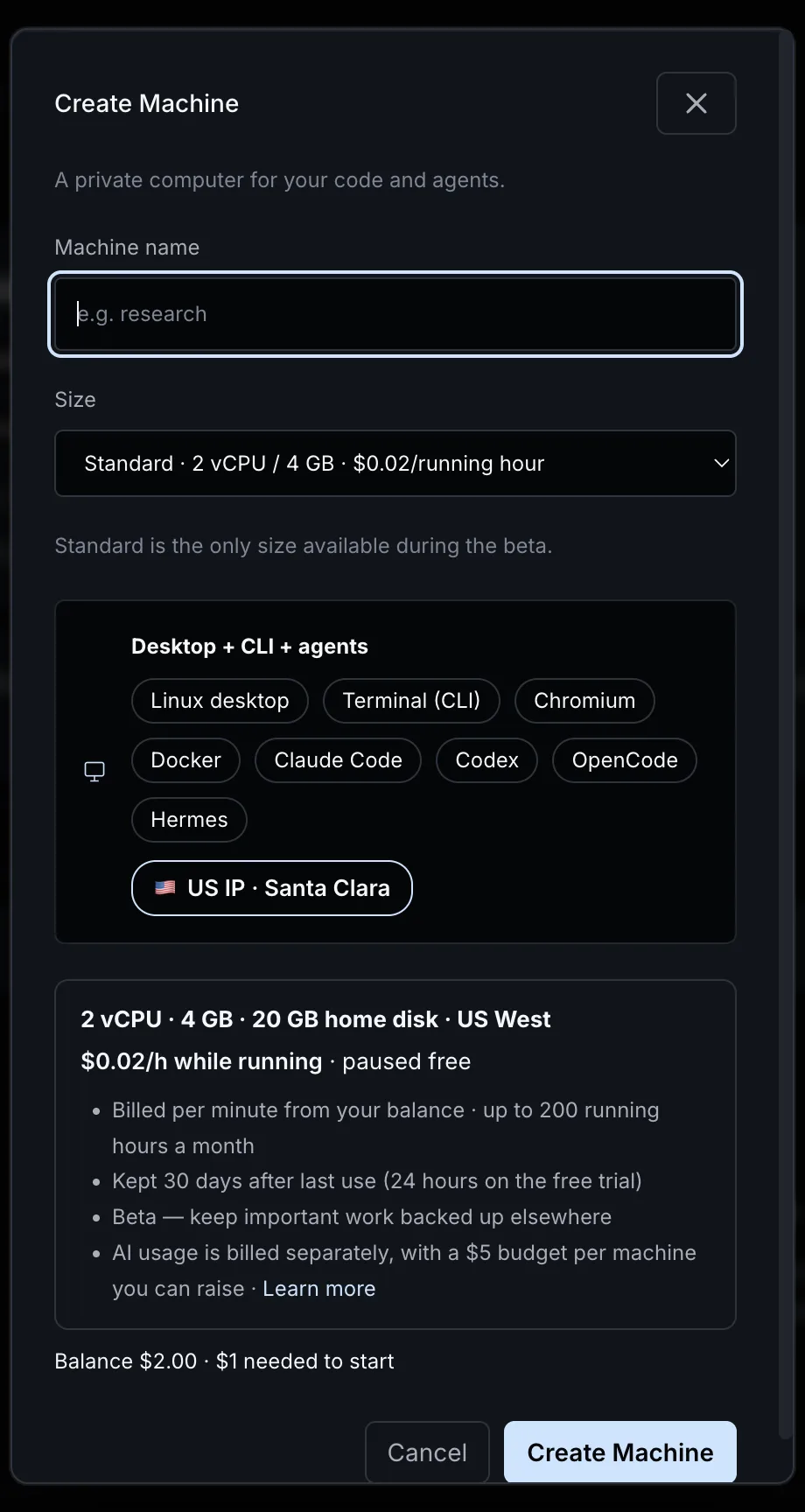
- 2 vCPU, 4 GB RAM and a 20 GB home disk.
- A Linux desktop with Chromium, and a terminal, side by side in one browser tab.
- Docker, Python with uv, and ports 3000 to 9000 free for your own servers, which you can open from the Ports tab.
- Claude Code, Codex, OpenCode and Hermes, each already configured to use your QuickSilver Pro account.
- A US IP: the machines run in Santa Clara, California, and all outbound traffic leaves from there.
- $0.02 per running hour, billed per minute from your QuickSilver Pro balance. A paused machine costs nothing. There is a cap of 200 running hours a month.
Step 1: create the machine
Open Machines in the dashboard, click Create Machine, give it a name and confirm. The dialog shows your balance; you need at least $1.00 available to start a machine.
Our machine went from Provisioning to Starting after about 13 minutes, and was Running 26 seconds later: 13 minutes 40 seconds from the click in total. That was the first machine on a new account, during the first week of the beta, so treat it as a single data point rather than a promise. You can close the tab while it provisions; the machine keeps going.
Step 2: open it
The machine page puts the terminal on the left and the desktop on the right. The desktop opens on a welcome page that lists the four agents, the command for each, and the model each one uses by default:
| Agent | Command | Default model |
|---|---|---|
| Claude Code | claude |
Claude Sonnet 5.5 |
| Codex | codex |
GPT 6.1 Terra |
| OpenCode | opencode |
GPT 6.1 Terra |
| Hermes Agent | hermes |
GPT 6.1 Terra |
On the free trial, the agents use Claude Haiku 5.5 (Claude Code) and DeepSeek V4.1 Flash (the others) instead.
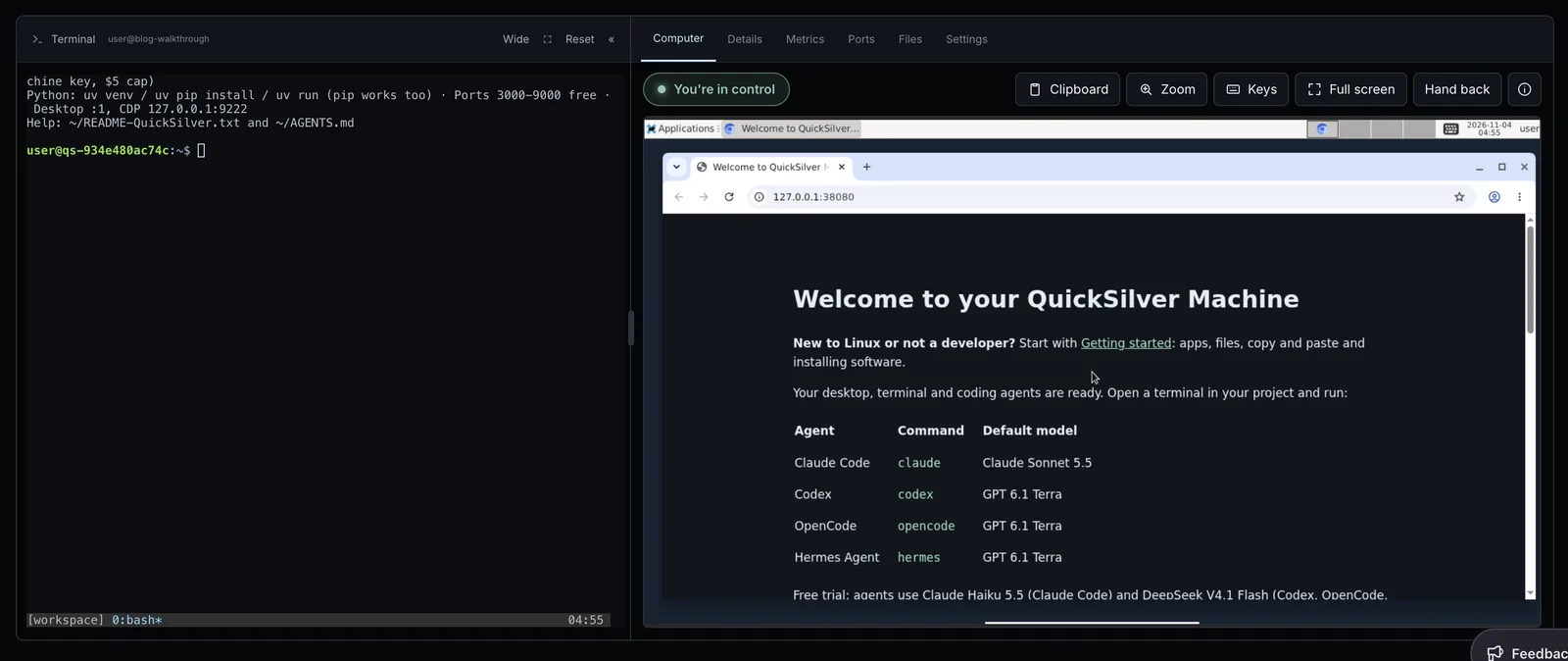
The first thing we ran in the terminal was a check of what was really there:
free -h | head -2; df -h ~ | tail -1; curl -s https://ipinfo.io/region
for a in claude codex opencode hermes; do printf '%s: ' $a; $a --version | head -1; done
It reported 3.8 GiB of memory, a 20 GB home disk, an outbound IP in California, and Claude Code 2.1.316, Codex CLI 0.166.0, OpenCode 1.19.5 and Hermes Agent 0.22.5.
Step 3: give an agent a task
The agents need no setup: each machine has its own machine key, and the agents are already pointed at it. We gave Claude Code a small task in non-interactive mode:
mkdir -p ~/demo && cd ~/demo
time claude -p --dangerously-skip-permissions "Create slugify.py with a slugify(text) function that lowercases, strips accents, and joins words with hyphens. Add test_slugify.py with pytest tests, install pytest with uv if needed, run the tests and report the result in one line."
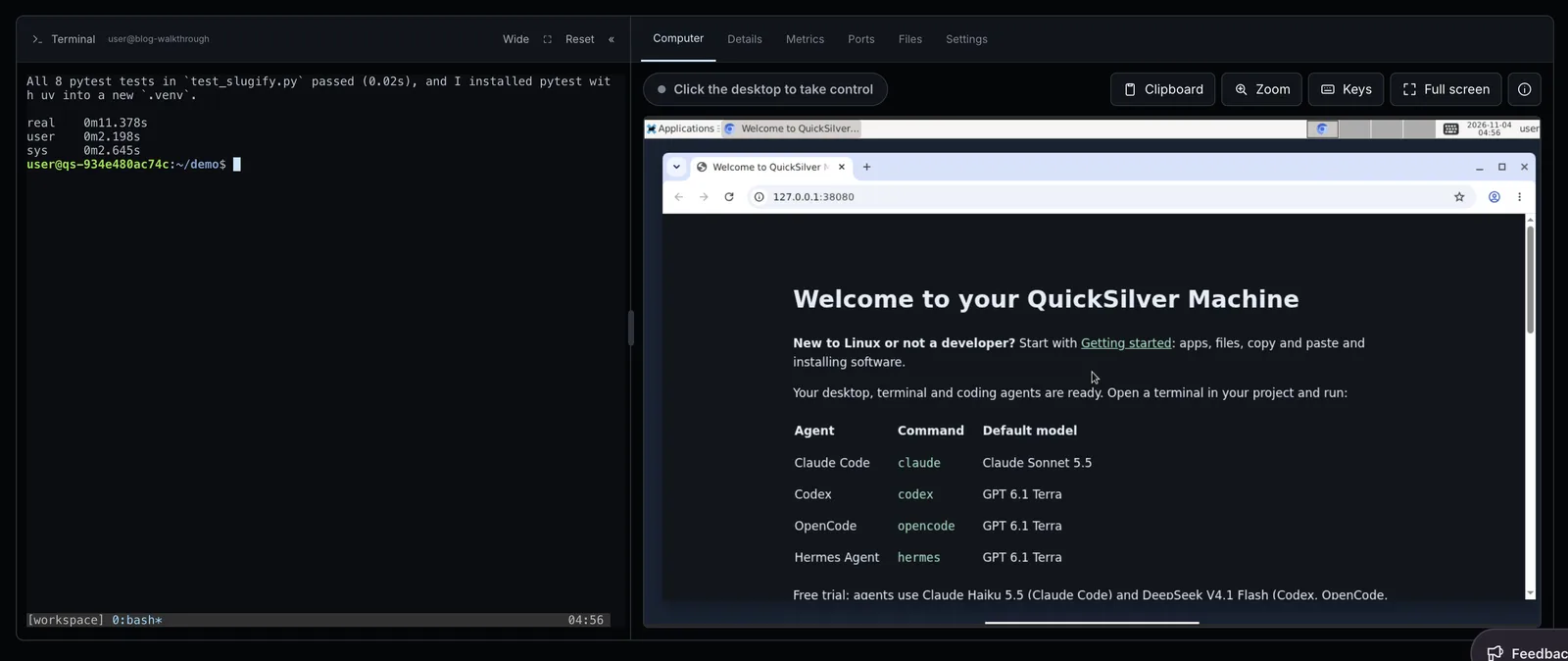
It wrote both files, installed pytest into a new virtual environment with uv, and reported that all 8 tests passed. That took 11.4 seconds and cost $0.0205 of AI usage on Claude Sonnet 5.5. --dangerously-skip-permissions lets Claude Code run commands without asking; on a disposable machine like this one that is a reasonable trade, and it is the main reason to give an agent its own box.
AI usage and machine time come out of the same balance but are counted separately. Each machine key has a $5 AI budget by default. You can raise it under API Keys → Machine keys; topping up your balance does not raise it.
Step 4: pause and resume
To check what survives a pause, we set a shell variable and started a background loop that wrote the time to a file every 5 seconds:
export PAUSE_TEST=kept
(while true; do date -u +%T >> ~/tick.log; sleep 5; done) &
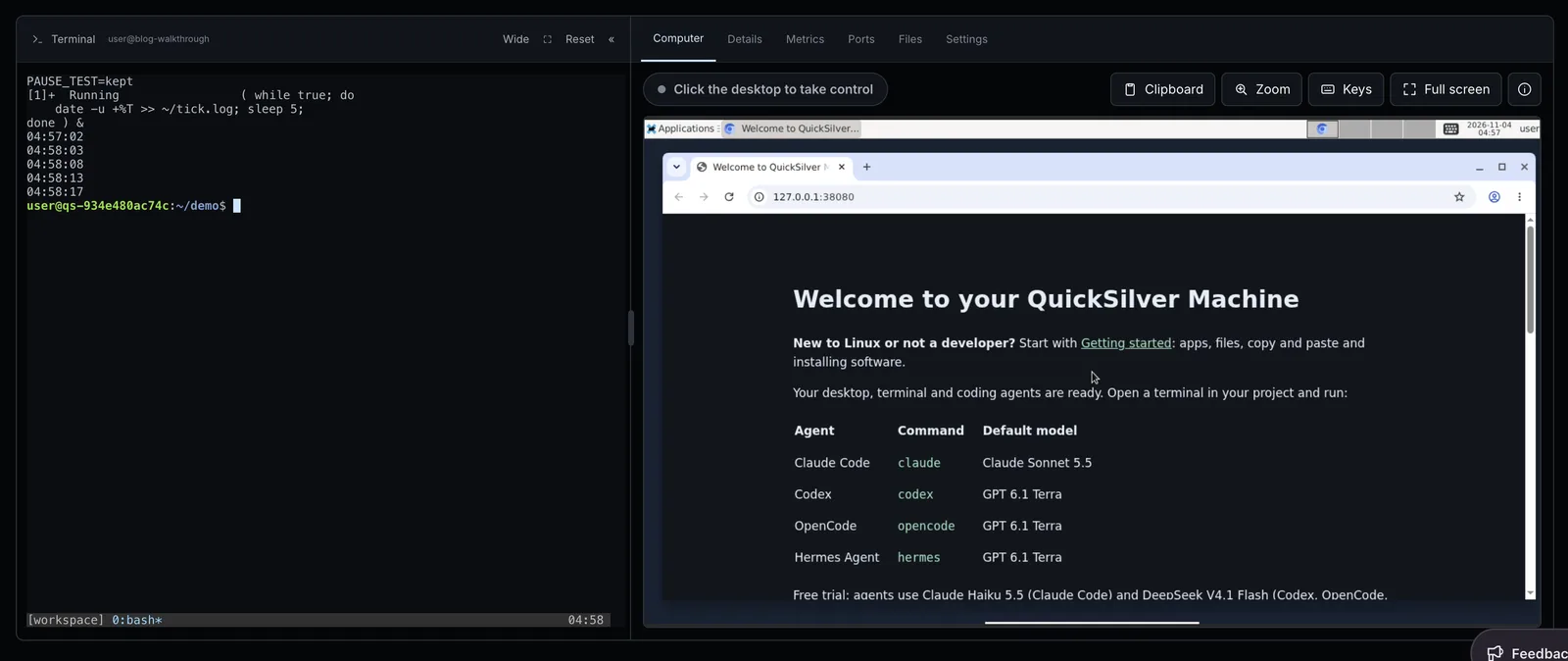
Then we clicked Pause. The machine showed Paused about 25 seconds later. We waited, clicked Resume, and it was Running again after about 11 seconds. Back in the same terminal, PAUSE_TEST was still set, the background job was still running, and tick.log had a one-minute gap around the pause before the timestamps picked up again.
Pause saves a checkpoint of the running machine for up to 24 hours. If a checkpoint fails, the next resume starts your applications fresh, but the files in your home directory stay. For a known-good state you can come back to, Save snapshot in the header keeps named snapshots of the disks; the newest three are kept.
What it cost
| Item | Amount |
|---|---|
| Machine time, about 8 minutes running | $0.0027 |
| Claude Code task (Claude Sonnet 5.5) | $0.0205 |
| Other AI usage during the session, not started by us | $0.0020 |
| Total | $0.025 |
At $0.02 per running hour, a machine you use for four hours on each of 20 working days costs $1.60 a month, and nothing while it is paused. The 200-hour monthly cap works out to $4.00. Your agents' AI usage is extra, at normal QuickSilver Pro model prices.
Using it from a phone or tablet
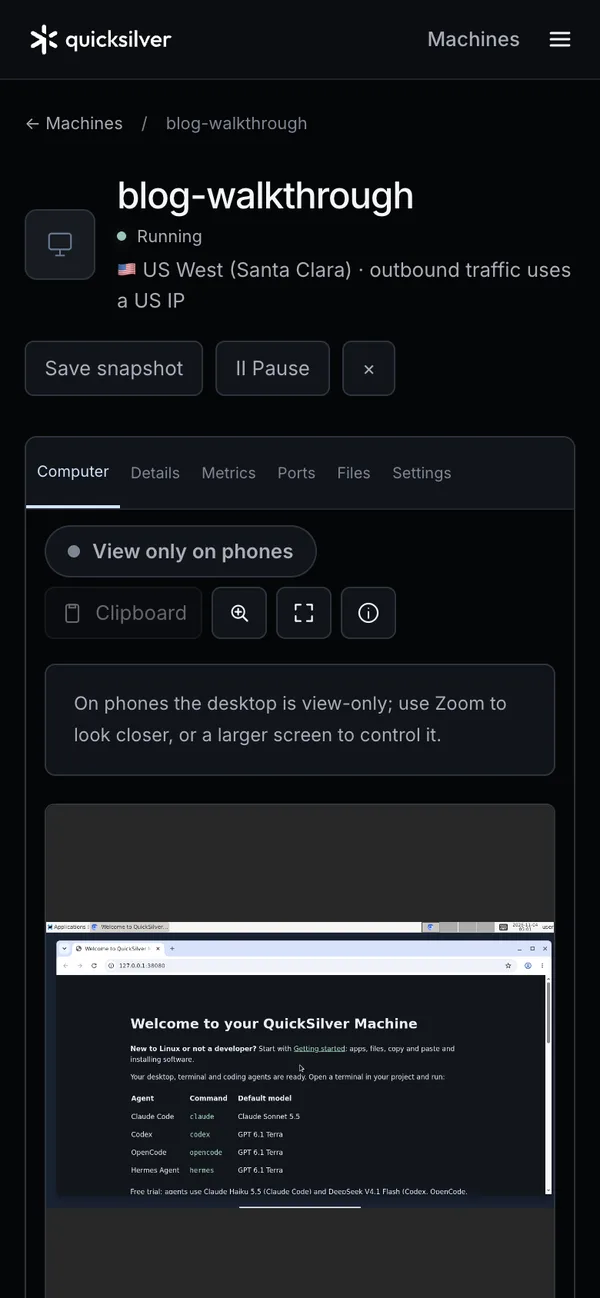
Everything runs in the browser, so you can reach the same machine from a phone. We checked the layout with Chrome's device emulation rather than on real devices. At phone width, the desktop is view-only (you can zoom in, but not click), while the terminal stays fully usable and gains a row of Esc, Ctrl, Tab, arrow and symbol keys. At iPad width, you can control the desktop as well.
Limits to know about
- It is a beta. There is no backup guarantee, so keep important work in Git or somewhere else.
- One size, 2 vCPU and 4 GB. Large builds or several containers at once will feel it.
- Sessions stop after 8 continuous hours, and there is the 200-hour monthly cap. Paid accounts can have up to 2 machines, both running at once; trial accounts get 1.
- Retention: a paid account's machine is deleted 30 days after it was last used, a trial machine after 24 hours.
- Traffic: each month includes 186.3 GiB of download and 93.1 GiB of upload; our session used 16 MiB.
- Provisioning time: about 14 minutes for our first machine. Pausing instead of deleting avoids paying that wait again.
Try it
New accounts get $0.05 of free credit, no card required, which covers about two and a half running hours shared with your agents' AI usage. After that, add $5 or more by card to keep going. Open Machines, create one, and type claude in the terminal.
If you would rather run the agents on your own computer, our setup guides cover Claude Code, Codex CLI and OpenCode and Crush.